Welcome to theÉcole Camille J. Lerouge SchoolHot Lunch web site.
On this site parents will be able to place lunch orders for their children.
ALL accounts are deleted at the end of the school year. You will have to register again.
Make sure you use the same email address so any credits from the previous year are posted to your account.
Here's how to get started...
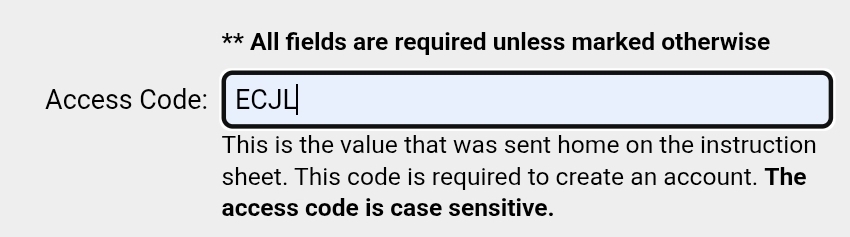
Click on "Click Here to Register"
The Access code is ECJL
Complete the rest of the registration form.
(Including your email address will ensure
you receive reminder emails about hot lunch order deadlines,
and your child's hot lunch
order for the upcoming week)
Click the "Register Now" button at the bottom
Follow the instructions to add each child in your family who attends Camille.
Once your
child(ren) are registered, click on "Orders"
Proceed to order hot lunch for your child(ren)
PayPal:
You can either pay with a credit card as a PayPal guest (Visa, Mastercard or Amex), or set up
your own PayPal account.
The hot lunch online order system requires a small amount of setup time at the beginning as
you must register each child you have attending our school prior to ordering hot lunch. Once
the initial setup process is complete, your hot lunch orders for the remainder of the year should
be quick and simple.
To RESET your password, click on the 3 lined box in the top right corner and follow the prompts.
**Please Note: Should you experience any issues with your PayPal account, you must contact
PayPal directly to solve the issue.
If you have any questions or concerns please email me at marny.bauer@rdcrs.ca
Powered by Hot Lunches On-Line - www.hotlunches.net - 216.73.216.102 - June 26, 2026 6:13am - DB: Current 19768
-- Server: 204.187.64.90